A fresh blade, a favorite floral, and a strip that somehow comes out wavy or the wrong width. If that sounds familiar, pressing harder usually won't fix it. Learning how to use a rotary cutter accurately means treating the blade, self-healing mat, ruler, and your posture as one system. When a cut wanders, check the setup before blaming your hand.
Rotary cutting changed fabric preparation when Japan's OLFA introduced what it identifies as the world's first rotary cutter in 1979. Instead of repeatedly lifting scissors, quilters could roll a circular blade across fabric supported on a flat mat, helping make repeatable strips and geometric pieces practical at home (OLFA's history of the rotary cutter).
Why Your Cuts Keep Going Wrong
The fabric is pressed, the ruler looks straight, and yet the strip comes off the mat with a wavering edge. It's tempting to lean harder on the cutter. But accuracy depends on the whole setup: a sharp, undamaged blade rolling over a suitable mat, held against a stable ruler while you stand or sit in a position that lets you guide the stroke cleanly.
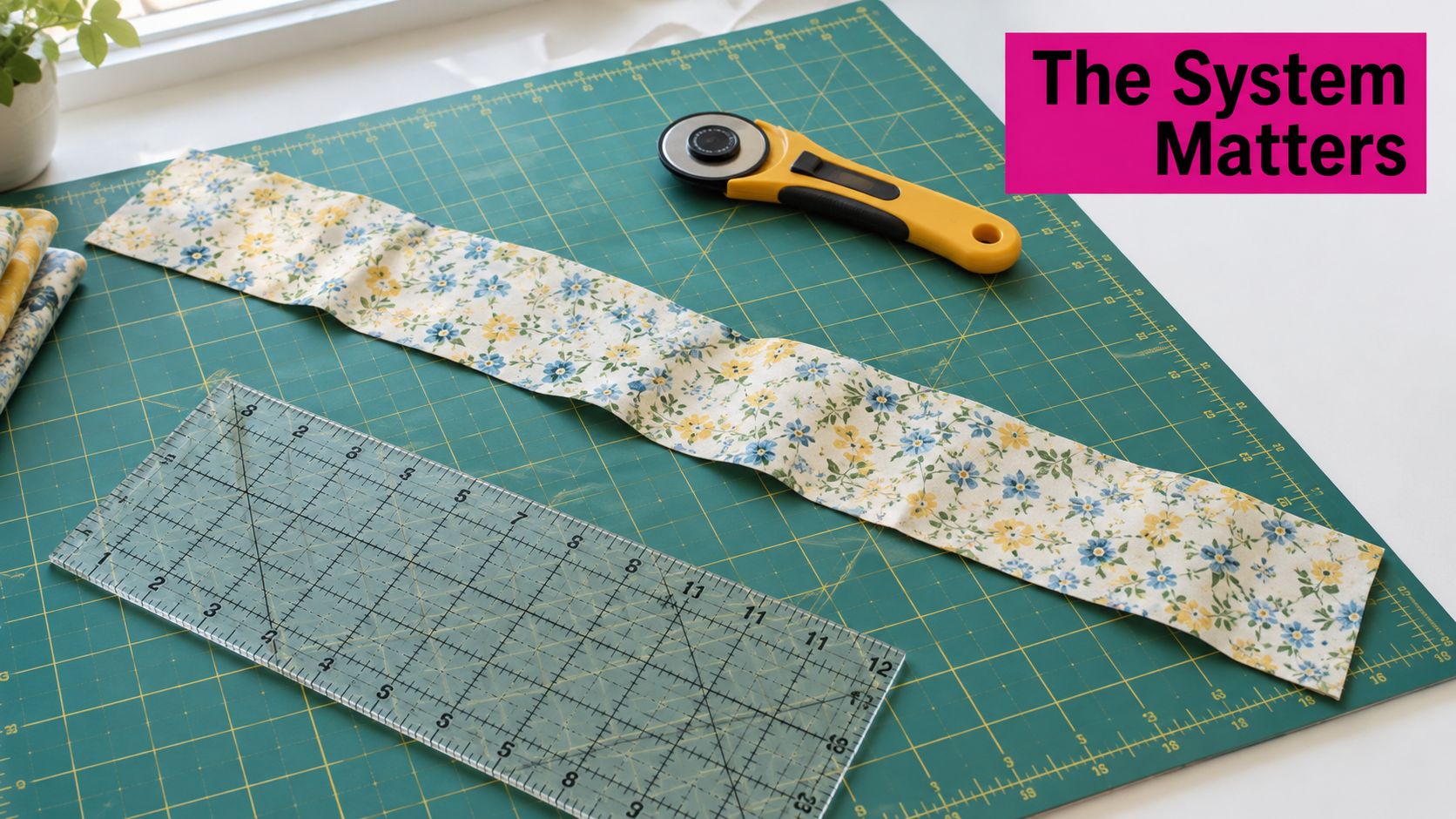
A fresh blade can still make a poor cut if the mat has deep grooves or the ruler shifts under your stabilizing hand. Too much pressure can also encourage the blade to drift sideways instead of tracking along the ruler. When a cut goes wrong, pause and check what moved, dragged, or failed to support the blade.
Before rotary cutters, quilters commonly traced templates and added a 6.4-millimeter (0.25-inch) seam allowance around each shape. The rotary cutter, mat, and ruler established a more repeatable way to prepare fabric, particularly for strip-piecing and geometric quilts. The key is not the cutter alone. Your first trim creates a straight, squared reference edge for the production cuts that follow.
Practical rule: If the strip is wavy, don't compensate by pushing harder. Check blade sharpness, mat condition, ruler contact, and posture first.
Choosing Your Cutter, Blade, Mat, and Ruler
A 45 mm rotary cutter is a versatile choice for general quilting. Smaller 28 mm cutters suit curves and detail work, while a larger blade can be useful for thicker work. The cutter should feel controllable in your hand, and its guard or lock should be easy for you to use consistently.
| Blade size | Best for | Typical quilter |
|---|---|---|
| 28 mm | Curves and small details | Someone cutting tight shapes or working close to a pattern edge |
| 45 mm | General quilting and repeated strips | A quilter looking for an everyday cutter |
| 60 mm | Larger cuts and thicker material | Someone who often works with bulkier fabric stacks |
Blade size doesn't guarantee how many layers you can cut cleanly. Fabric thickness, loft, starch, blade condition, and mat surface all affect the result. If the cutter needs extra force, reduce the stack rather than forcing the cut.
Let the mat and ruler do their jobs
Use a self-healing cutting mat on a firm, flat surface. The mat protects the table and supports the blade; it isn't a substitute for a ruler's measured edge. Choose a clear quilting ruler that gives you enough length for the cuts you make, with a grid that helps you square the fabric and check measurements.
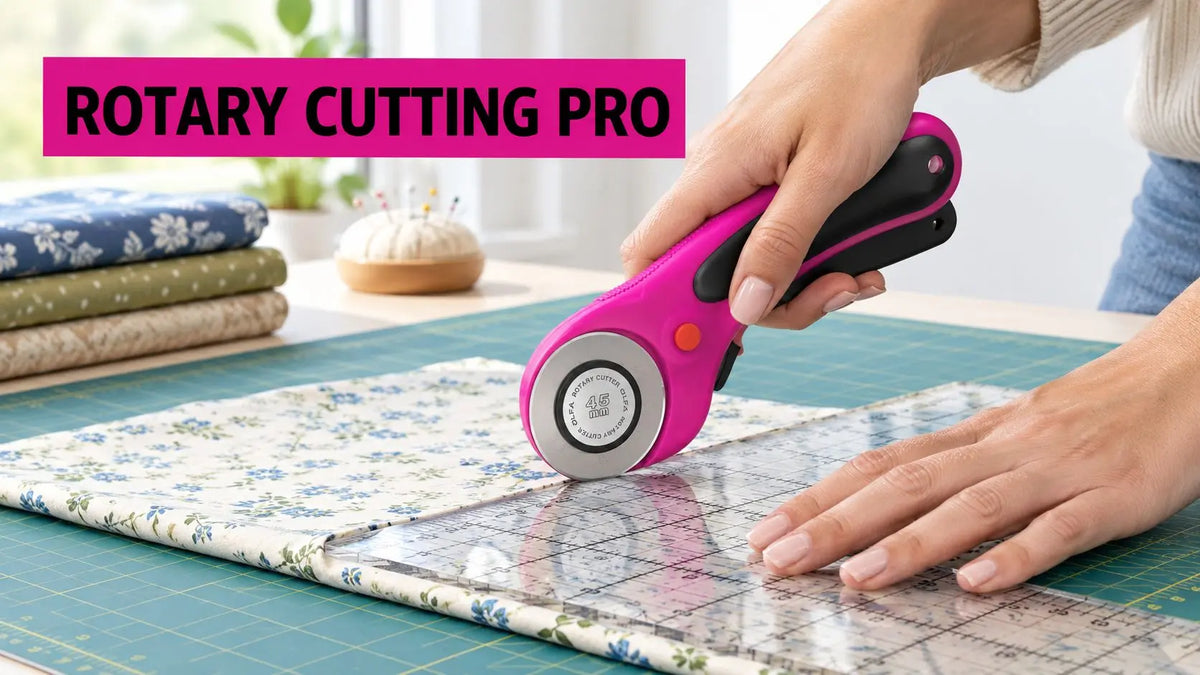
For a grip with a curved handle and squeeze trigger, the 45mm Ergonomic Rotary Cutter Magenta is designed for either hand and has an auto-retracting blade and dual-action safety lock. Its product details describe an anti-slip grip and a pre-loaded OLFA Endurance Blade. Treat ergonomic features as handling options, not a promise that a cutter will solve hand pain.
Setting Up Your Body and Your Workstation
A sound cut starts before the blade touches fabric. Put the mat on a stable surface, centered in front of you. Whether you stand or sit, set the work height so you can reach the ruler without hunching or stretching across the mat.
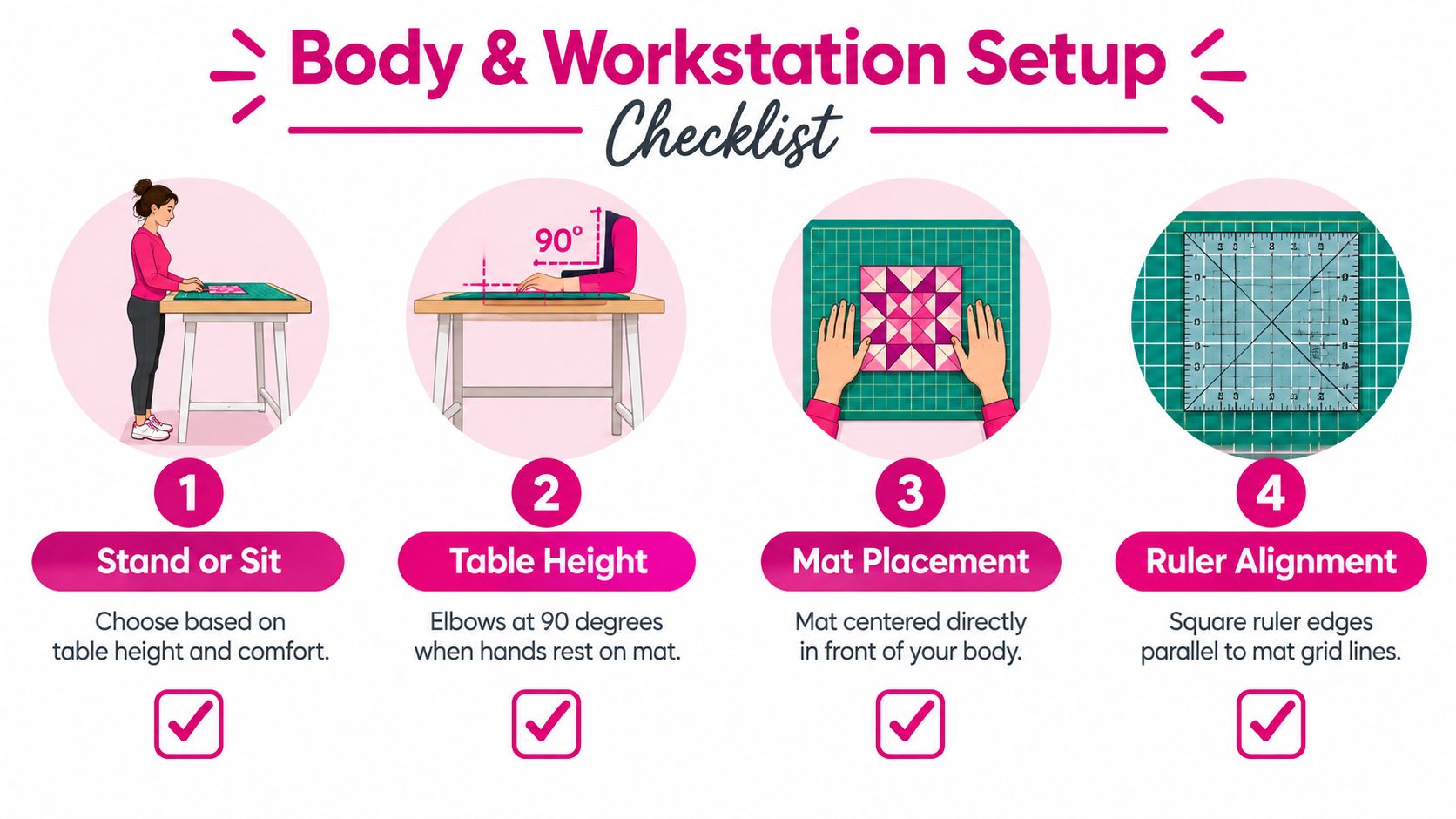
Square the folded fabric edge against the mat grid and the ruler's perpendicular markings. Keep your head directly over the cutting line so you can see the blade meet the ruler. This isn't a cue to crowd the cutter. It's a way to keep the line in view while your shoulders and wrist stay comfortable.
Keep the ruler hand clear of the blade path
Set the ruler over the fabric and place your non-cutting hand flat on top, with your fingers well behind the ruler's blade side. Don't rest that hand beside the ruler, where a slip could put fingers in the blade's path. Keep the cutter upright against the ruler. A tool angle of about 45 degrees can improve control while the blade stays perpendicular to the cutting surface and tracks cleanly along the guide (rotary-cutter handling guidance).
If a long cut extends beyond a comfortable reach, reposition the work. Rotate the mat or fabric instead of twisting your torso to follow the edge. That small adjustment helps you keep the ruler hand stable and your cutting motion smooth.
Keep your shoulders relaxed, your view clear, and your ruler hand planted before you expose the blade.
Cutting Straight Strips and Squared Edges
Don't start by cutting production strips from an uneven edge. First, align the cleanly folded fabric edge with the ruler's perpendicular grid and trim away the selvage. That first straight cut gives you a squared reference edge. Use it to measure the strip width rather than assuming the folded edge is perfectly square.
Position the ruler with the desired measurement aligned to that reference edge. Press down on the ruler with your non-cutting hand, keeping your fingers well back from the edge. Adjust or lock the blade only when you are ready to cut. Hold the cutter upright against the ruler and roll it away from your body with steady, moderate pressure. When the stroke is done, close or lock the blade before setting the cutter down.
Some sewing guidance recommends beginning about 1 inch in from the fabric edge with one initial clip toward the operator to prevent bunching, then making the cut away from the body along the ruler (Sewing.org's rotary-cutting guidance). Use that approach only if it suits your setup and you can keep your hand clear of the blade path. Don't direct a moving blade toward your stabilizing hand, and never reach to catch a falling cutter.
Choose a grip that lets you control the stroke
There isn't one grip that works for every hand. A grip that feels secure to one quilter may force another to bend the wrist or squeeze too hard. If you notice pain, rising fatigue, or a loss of control, stop instead of finishing the stack by force.
A practical cutting sequence is to set the ruler, place the stabilizing hand safely on top, expose the blade just before the stroke, apply steady pressure, then return the guard or lock before putting the cutter down. That sequence is also described in rotary-cutter technique guidance.
Adapting for Arthritis, Fatigue, and Limited Grip
A rotary cutter asks your hand to grip, press, and guide at once. If you have arthritis, reduced grip strength, or repetitive-strain symptoms, don't assume you need to power through with a standard handle. The useful question is which part of the movement is uncomfortable and what change lets you keep control.
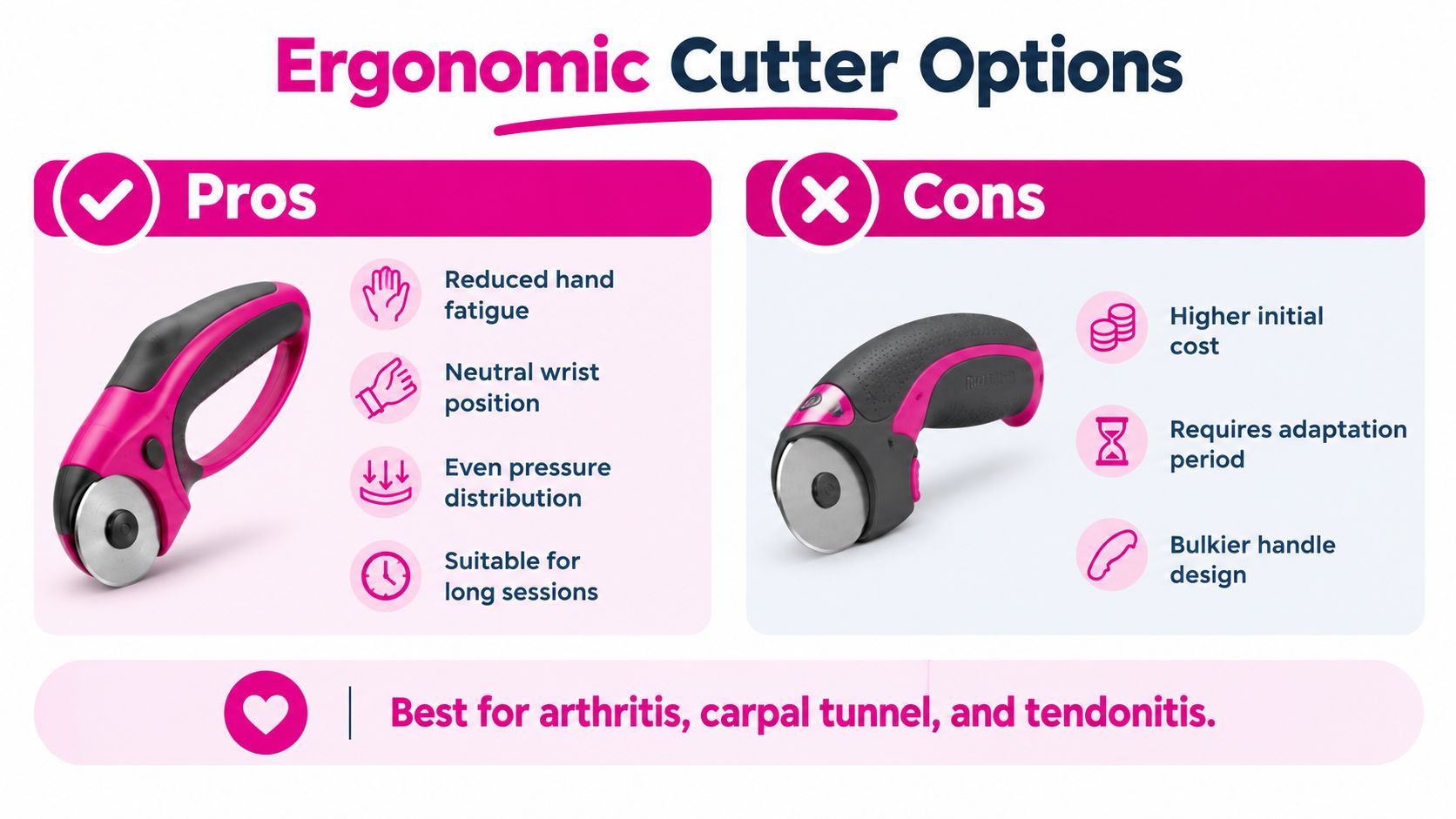
A larger palm-style grip may feel easier if bending your fingers hurts. A squeeze-trigger design may suit someone who prefers to control blade exposure through the handle, though squeezing can be uncomfortable for some hands. Try a grip with your wrist in a neutral position, and don't buy based on comfort claims alone. A cutter isn't a medical device, and product descriptions don't establish that a design treats arthritis or other conditions.
Change the work before you change your effort
If pressure rises as you cut, reduce the fabric stack. Shorten the cutting session, alternate cutting with another task, and stop when symptoms increase or you can't keep the ruler hand steady. Cutting fewer layers at a time may take longer, but it's safer than forcing the blade or letting fatigue weaken your control.
OSHA's general rotary-machine safety guidance reinforces the value of understanding equipment and receiving appropriate instruction before using it (OSHA rotary-machine safety guidance). For a quilter with hand or wrist symptoms, that means learning the cutter's guard and lock, checking the user instructions, and practicing with a small, stable piece before tackling a long run of strips.
Fixing Blade Drag, Skipped Fibers, and Wandering Cuts
Stop if the cutter snags, drags, skips fibers, or needs more force than usual. Repeatedly sawing over the same line can make the cut less accurate and encourages you to press harder with a sharp blade. Work through likely causes one at a time.
- Blade drag or skipped fibers: Inspect the blade for damage or dullness. Replace it if it is nicked or no longer cuts cleanly. Extra force and snagging are warning signs to check the blade, not invitations to push harder (rotary-cutter safety checklist).
- Wandering cut: Reset the ruler and plant your stabilizing hand flat on top of it. Keep your fingers clear of the blade's path.
- Incomplete cut through a stack: Reduce the number of layers. Fabric thickness and loft vary, so a stack that works in one project may not cut cleanly in another.
- A blade that veers or catches: Inspect the mat for grooves or uneven spots, then move the cut to a clean area.
Don't try to correct a poor cut by twisting your wrist mid-stroke. Stop, retract the blade, reposition the fabric and ruler, then make a clean pass only when the setup is stable.
If you're following along visually, use this cutting demonstration as a reminder to keep the blade controlled and the ruler steady:
Blade Care, Mat Care, and Safe Storage
A cutter left open on a worktable can injure someone reaching for fabric. Retract or cover the blade whenever you pause, and lock the tool before changing the blade or putting it away. Keep pins out of the cutting path, and never try to catch a falling cutter.
Replace a dull or nicked blade rather than pressing harder. Follow the manufacturer's instructions, and open the cutter over a flat surface so the blade cannot roll away. A clean, controlled pass depends on the whole setup: blade, mat, ruler, and steady posture. Keep your wrist neutral and your cutting hand relaxed; extra grip pressure can make repeated blade changes and long sessions harder, especially if you have arthritis or reduced grip strength.
Return a used blade to its packaging, secure it with tape, then place it in a rigid container for disposal. Never leave it loose in a drawer where someone could handle it. National Design Academy's blade-replacement guidance describes returning used blades to their packaging and securing them for disposal.
Keep the cutting surface ready
Check the mat for deep grooves and worn areas that can throw a blade off line. Clear scraps so the ruler lies flat, and store the mat flat when it is not in use. Before a long session, check that folded fabric is aligned and the ruler holds the layers without sliding. If standing or gripping becomes tiring, pause and reset your posture and hand position before continuing.
How do I cut curves with a rotary cutter? A smaller cutter, such as a 28 mm model, is easier to guide around curves and details. Move slowly, keep the path visible, and avoid forcing a large blade around a tight turn.
Can I cut batting and multiple fabric layers? Some setups can cut batting and layered fabric, but results depend on loft, blade sharpness, mat condition, and material. If fibers remain attached or the blade drags, reduce the stack or replace the blade.
When should I replace a blade? Replace it when it is nicked, skips fibers, snags, or needs extra pressure. A clean, controlled stroke is a better guide than trying to extend the blade's life.
Should I cut around pins? No. Remove pins from the blade path before cutting. A blade can catch on them, disrupting a clean, stable pass.
Linda's Electric Quilters offers quilting notions and tools, including rotary cutters and supplies for maintaining a cutting setup. Visit Linda's Electric Quilters to browse tools for cutting strips and finishing quilt projects.