How to Use the 6 Inch Add-A-Quarter Ruler: Perfect Seam Allowances for Foundation Piecing
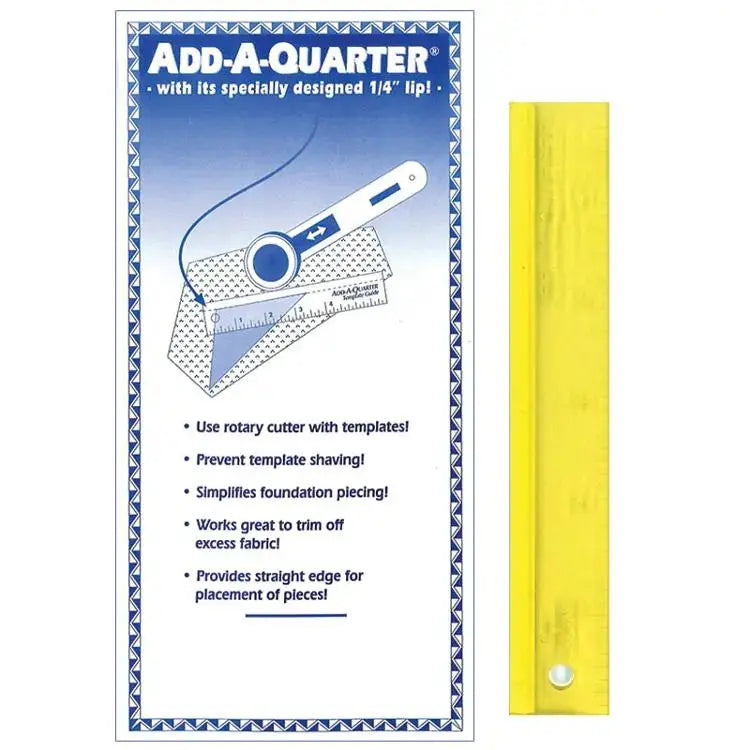
Every quilter knows the quarter-inch seam allowance matters. Pieces that are even a little off stop lining up, points go blunt, and blocks refuse to sit flat. The 6 inch Add-A-Quarter Ruler, Design # 1, takes the guesswork out of that allowance. This slim 1 inch by 6 inch ruler combines the speed of rotary cutting quilt pieces with the accuracy of using templates, automatically adding the customary quarter-inch seam allowance as you work.
What It Is and Why Quilters Use It
The Add-A-Quarter is a small, straight ruler designed for one very specific job: adding an exact quarter inch beyond a template or a piecing line. Once your templates are made, the ruler will automatically add the customary quarter-inch seam allowance to any straight angle and provide a straight edge for your rotary cutter, so every piece you cut comes out the right size the first time.
That makes it especially useful for foundation piecing. When you foundation piece, you stitch directly on a marked line, then trim the excess fabric back to a consistent seam allowance before adding the next piece. The Add-A-Quarter is also used for trimming seam allowances when foundation piecing, giving you a firm, reliable edge to trim against instead of eyeballing the distance from your stitching line.
How to Use It, Step by Step
- Make or choose your template. Start with the finished-size template or pattern piece for the shape you want to cut. The ruler adds the allowance, so your template itself should not already include it.
- Place your fabric. Lay your fabric right side up on your cutting mat, and position the template on top where you want the finished piece to sit, keeping grain and print placement in mind.
- Butt the ruler against the template. Set the Add-A-Quarter ruler snugly along one straight edge of the template. The ruler is designed so the cutting edge sits a quarter inch beyond the template edge.
- Cut along the ruler. Run your rotary cutter along the ruler's straight edge, holding the ruler firmly so it does not shift. You have now cut that side with the seam allowance already added.
- Work around the shape. Move the ruler to each remaining straight edge of the template in turn, cutting each side the same way until the piece is fully cut with an even allowance all around.
- For foundation piecing, trim after stitching. After sewing a piece in place on your foundation, fold or position the work so the stitched line is accessible, lay the ruler along that line, and trim the excess fabric back, leaving the consistent quarter-inch allowance the ruler provides.
Practical Tips
Keep steady, even pressure on this small ruler while you cut — at 1 inch wide and 6 inches long, it is easy to hold, but a light touch can let it skate on slippery fabric. Cut away from your body and keep fingertips well back from the cutting edge. Work on a clean, flat mat so the ruler sits flush, and check your first cut piece against the template before cutting a whole stack. For foundation piecing, trim after every piece rather than in batches; consistent allowances keep later pieces seating correctly.
Care and Storage
Store the ruler flat with your other quilting rulers so it stays straight and easy to find — its slim size slips neatly into a template pouch, a drawer, or the pocket of a project bag. Wipe off lint and fabric dust after a cutting session, keep it away from hot irons, and check the cutting edge periodically so you always trim against a clean, true line.
Project Ideas
Reach for the Add-A-Quarter whenever templates and accuracy meet: foundation-pieced blocks with many small pieces, paper-pieced stars and pictorial blocks, template-cut appliqué backgrounds and geometric quilts built from repeated shapes, and any project where trimming seam allowances evenly will make the final assembly faster and neater.
Shop the 6 inch Add A Quarter Ruler Design # 1 at Linda's Electric Quilters.