Last Updated: October 29, 2026
Quick Summary
Digital quilt patterns are downloadable PDF files you print or view on screen, while paper patterns arrive as printed booklets. The design is often identical, so the choice depends on whether you want instant access and a backup file or a sturdy physical copy for the cutting table.
- Digital files arrive by email, so you can start cutting the same day.
- Paper patterns ship by mail, so you wait for delivery.
- Home printing adds ink and paper costs that depend on page count.
- Print one test page and measure the test square before printing the full set.
- Set Page Sizing to Actual Size and turn off Fit or Shrink to Fit options.
Table of Contents
- How Digital and Paper Quilt Patterns Differ
- Cost and Convenience: Instant Access Versus a Physical Copy
- How to Print PDF Quilt Patterns Accurately
- Digital Quilt Pattern Printing Tips for Large and Tiled Pages
- Using Patterns at the Cutting Table: Tactile Feel, Devices and Handling
- Quilt Pattern Storage Ideas for Digital and Paper Files
- Choosing the Right Format for Your Next Quilt
- Frequently Asked Questions
How Digital and Paper Quilt Patterns Differ
Digital quilt patterns are PDF files you download and print or view on a screen, while paper patterns arrive as a printed booklet or sheet. The content is often identical. Digital and paper patterns are often the same design delivered in different ways. The real decision is about how you want to receive and use the instructions.
Many quilters prefer a physical copy they can fold, mark up and keep on the cutting table. Others value the instant access and portability of a file. Pattern sellers commonly offer both formats, so the choice usually comes down to your workflow rather than the design itself.
Keep in mind that digital patterns are not always the easy option. Printing and sizing templates correctly takes care,
Cost and Convenience: Instant Access Versus a Physical Copy
Digital patterns win on delivery speed: the file arrives by email and you can start cutting the same day. A paper pattern ships, so you wait for the mail. That convenience difference is real, but it is only one line in the cost comparison.
Purchase price is only the first line item
Pattern prices vary by designer and format. Linda's Electric Quilters lists the Fat Quarter Fun Quilt Pattern - Digital Download and the Take Four Placemats. A lower sticker price on the digital file does not automatically make it the cheaper choice once printing enters the picture.
The hidden costs of printing at home
A home-printed pattern consumes ink and paper, and the total depends on page count. A simple wall hanging may run several pages; a large quilt with tiled templates can run many pages. Add the cost of a reprint when a scaling error slips through, and the gap between a $9 digital file and a $14 paper pattern can close quickly.
Copy-shop and large-format printing
When a pattern exceeds what your home printer handles comfortably, a copy shop becomes the practical option. Copy shops typically charge per page, and large-format sheets may cost more. Ask for actual size with no scaling and confirm the test square before the full run.
Time is a cost too
Assembly time is easy to overlook. Trimming and taping 30 tiled pages can take a meaningful chunk of an afternoon. A paper pattern arrives assembled, so the time cost shifts to shipping wait instead of assembly labor. Neither format is free of time; they just spend it differently.
A practical total-cost comparison
| Cost line | Digital (home print) | Digital (copy shop) | Paper |
|---|---|---|---|
| Pattern purchase | $8-$15 | $8-$15 | $12-$18 |
| Paper and ink | Yes, varies by page count | Included in service fee | None |
| Printing service | None | Per-page and large-format fees | None |
| Assembly time | Trim and tape tiled pages | Trim and tape tiled pages | None |
| Shipping wait | None | None | Yes |
Use the table as a checklist rather than a verdict. Match the format to the pattern's page count and your access to a printer. Match the format to the pattern's page count and your access to a printer, and the cost question answers itself.
How to Print PDF Quilt Patterns Accurately
Printing accuracy is where digital quilt patterns earn or lose their advantage. A pattern printed at 97% scale produces blocks that are too small, and the error compounds across every piece in the quilt. The fix is mechanical, not mysterious: verify scale before you cut anything. Precision remains just as vital when working with vintage feed sack patterns, where the scarcity of the original fabric leaves no room for miscalculation.
Set the printer, then verify with the test square
Open the PDF in a standard reader such as Adobe Acrobat Reader, then open the print dialog and set Page Sizing to Actual Size (sometimes labeled 100%). Turn off "Fit," "Shrink to Fit," and "Scale to Fit Printable Area." These options silently resize the page to the printer's margins and are the most common cause of undersized templates.
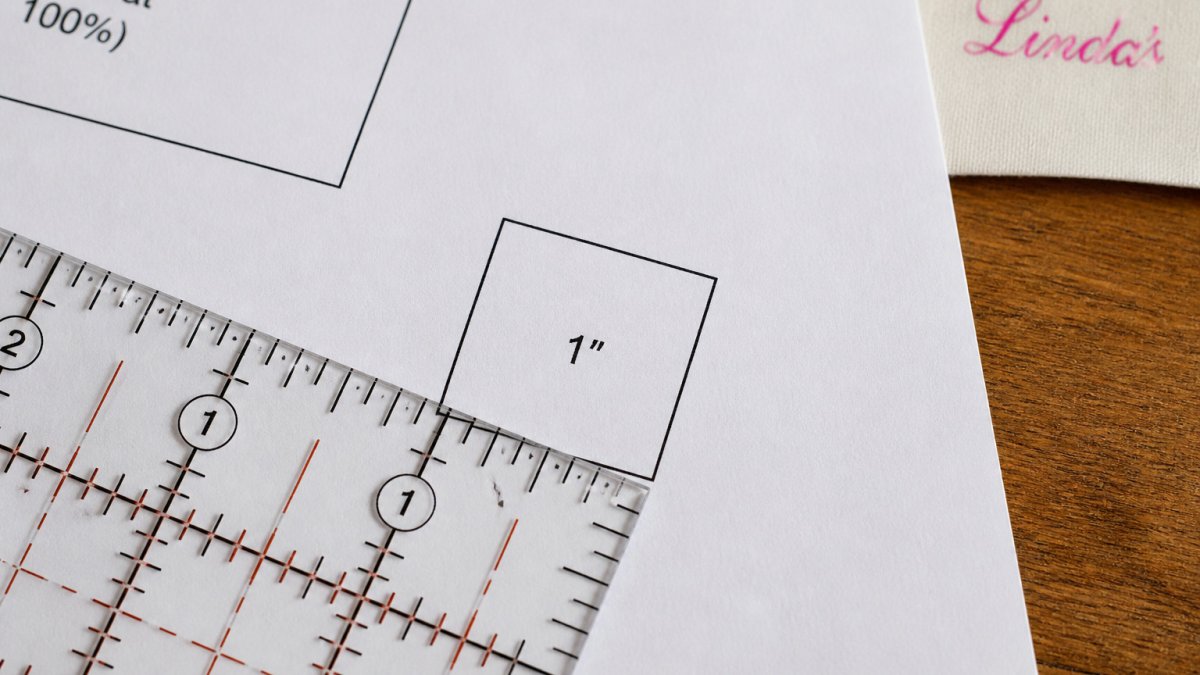
Many quilt patterns include a test square or scale line on the first page. Print that page only, then measure the square with a ruler. If it measures 1 inch, your scale is correct. If it measures 15/16 inch, the pattern is printing at roughly 94% and every block will come out small. Adjust the scaling percentage in the print dialog and reprint the test page until the square measures true.
Match paper size to the pattern's origin
Confirm the paper size stated in the pattern's printing instructions and load that size in the printer tray. If the pattern offers both Letter and A4 versions, download the one that matches your paper.
Assemble tiled pages without drift
Multi-page patterns tile the template across several sheets. Trim the white margin on the indicated edge, then align the registration marks or overlap lines and tape the seams. Check the assembled template against the pattern's stated finished dimensions before cutting fabric. A gap of 1/16 inch at each seam can add up to a quarter inch or more across a large template, enough to throw off block size and seam allowances.
Know when home printing is the wrong tool
If a pattern runs to 30 or 40 tiled pages, or if the templates are larger than a single sheet, home printing becomes slow and error-prone. In that case, send the file to a copy shop and ask for actual size, no scaling, and confirm the test square on the first print before they run the full set. The same verification step applies, you are just paying someone else to feed the paper.
Digital Quilt Pattern Printing Tips for Large and Tiled Pages
Large quilts and tiled patterns create the most printing challenges. A king-size quilt pattern may run to many pages, and each tile must line up with its neighbors. Before printing, read the pattern's page layout and note how many pages you need.
If your home printer cannot handle large formats, a copy shop can print the pages. To adjust your tiled pattern to king size, see scale quilt patterns for king size. Ask for 100% scale and confirm the test square measurement before paying for the full set. Scaling errors are harder to fix once the whole set is printed.
Check your fabric needs before you print. For a king-size project, calculate backing yardage separately, because the pattern's main yardage list may cover only the top. You can work through the numbers in king size quilt backing yardage: calculate exactly. Planning this early avoids a second trip to the fabric store.
Using Patterns at the Cutting Table: Tactile Feel, Devices and Handling
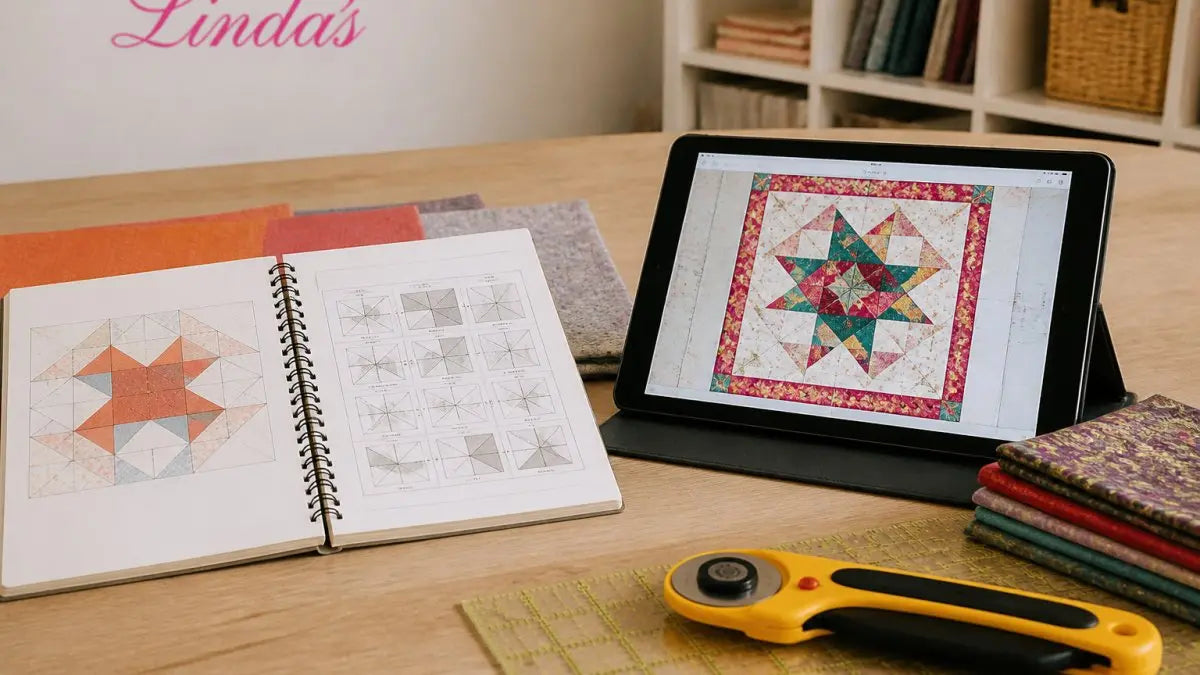
Paper patterns are easy to handle at the cutting table. You can fold them, pin them and write notes directly on them without worrying about screen glare or damage. Many quilters find this tactile experience makes the cutting stage more comfortable.
Digital patterns work well on a tablet or laptop, but a screen can be awkward beside a rotary cutter. If you prefer instant access, you can get the Grandma's Baby Burp Rag pattern as a digital download. Some quilters print only the pages they need for cutting and keep the rest on a device. Use a stand or a tablet cover to keep the screen away from fabric and sewing machines.
Consider how you will read the instructions while you sew. Paper stays put, while a device can dim, lock or move if you touch the wrong button. Choose whichever format keeps your hands free.
Quilt Pattern Storage Ideas for Digital and Paper Files
Digital patterns need a clear file system. Create a folder for each quilt pattern, name the file with the designer and title, and back up the folder to a second location. A file you cannot find or open is no better than a lost paper pattern.
Paper patterns need protection from light, moisture and crushing. Store them flat in a binder with sheet protectors or in a labeled folder. Keep the pattern with its fabric requirements and notes so the full project stays together.
Some quilters keep both formats. Store the printed copy you use at the cutting table and keep the original PDF as a backup. That way a damaged printout does not mean buying the pattern again.
Choosing the Right Format for Your Next Quilt
Choose paper if you want a sturdy pattern for the cutting table, a physical copy to mark up, or you are not comfortable printing and assembling pages. Choose digital if you want the pattern today, you have a reliable printer or a nearby copy shop, and you want a backup file you can store easily.
For a first project, a simple pattern such as the Little Llamas quilt, which Linda's Electric Quilters lists as a printed paper pattern, is a good place to start. If you want approachable modern options, browse modern geometric quilt patterns for beginners.
Whichever format you choose, test your printer before cutting, store both copies safely, and match the pattern's skill level to your experience.
Frequently Asked Questions
Are digital quilt patterns better than paper patterns?
Neither format is better in every case. Digital quilt patterns, such as the Fat Quarter Fun Quilt Pattern, are delivered by email right after purchase, so you can start immediately. Paper patterns, such as Little Llamas, come as a printed copy that is easier to handle at the cutting table. Choose digital for speed and portability, and paper if you prefer a physical pattern you can fold, mark and keep on the table.
What is the difference between a PDF quilt pattern and a paper pattern?
A PDF quilt pattern is an electronic file you print yourself, usually on letter-size paper at home, and it may contain multiple pages that must be assembled. A paper pattern arrives already printed, such as the Feathered Star pattern, which includes paper templates for foundation paper piecing. The content is the same design; the difference is delivery, printing responsibility and how the pages are handled.
Are PDF quilt patterns cheaper than printed patterns?
They are often less expensive at the point of purchase. Linda's Electric Quilters lists its digital Fat Quarter Fun Quilt Pattern alongside printed patterns such as the Barn and Truck Pattern. Factor in your own ink and paper costs when printing, and a large pattern may take many pages. Compare the total cost of printing against the price difference before deciding.
Can you print a digital quilt pattern at home?
Yes, most PDF quilt patterns are designed for home printing on standard letter-size paper. Check the pattern's printing instructions before you begin, and print one test page first to confirm it prints at 100% scale. Many multi-page patterns require you to trim and tape the pages together in the order shown on the layout sheet, so allow time for assembly.