Hi, friends!
A little support can make a big difference.
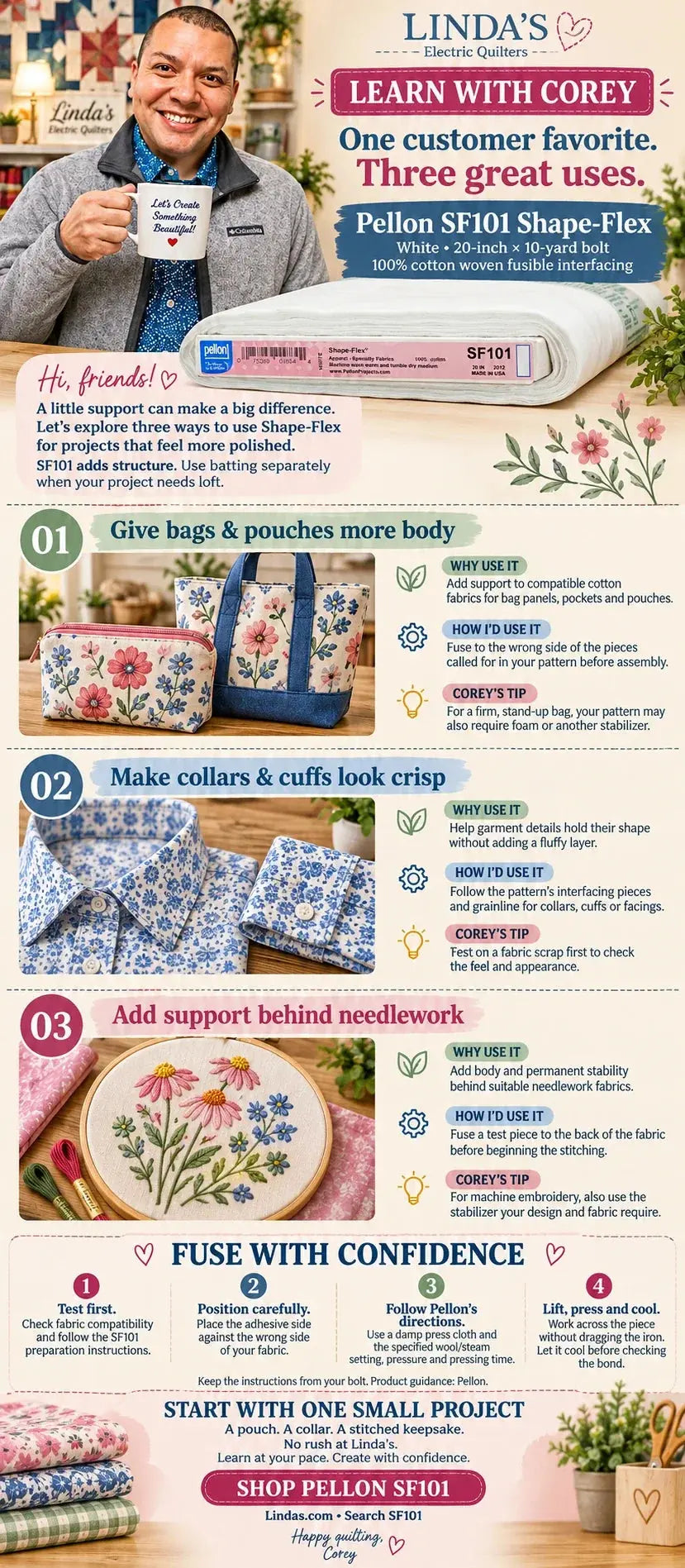
Today I want to talk about one of the most-reached-for bolts in the shop: Pellon SF101 Shape-Flex. It is a white, 100% cotton, woven fusible interfacing, sold as a 20-inch by 10-yard bolt. Let's explore three ways to use Shape-Flex for projects that feel more polished.
One thing to keep straight before we start: SF101 adds structure, not loft. It makes fabric feel firmer and more stable. When your project needs puff or cushion, use batting or foam separately.

What Is Pellon SF101 Shape-Flex?
Shape-Flex is a woven fusible interfacing. Because it is woven cotton rather than a non-woven web, it drapes and moves with your fabric instead of fighting it. You fuse it to the wrong side of a fabric piece, and that piece comes out with more body, less stretch, and a smoother surface for stitching.
I keep the full bolt on hand because it goes so far. If you only need a little, the SF101 60-inch by 1-yard cut is a good way to try it. For a deeper dive into the product itself, my team wrote a complete Pellon SF101 Shape-Flex product guide.
1. Give Bags and Pouches More Body
Why use it: It adds support to compatible cotton fabrics for bag panels, pockets and pouches, so a quilting cotton stops feeling limp once it becomes a bag.
How I'd use it: Fuse it to the wrong side of the pieces called for in your pattern before assembly. Fuse first, then cut and sew as usual.
Corey's tip: For a firm, stand-up bag, your pattern may also require foam or another stabilizer. Shape-Flex is often the first layer, and something like Flex-Foam or Soft and Stable goes on top of it. If you are deciding between those, my Flex-Foam guide explains when foam earns its place. Looking for a pattern to try? Here is our guide to project bag sewing patterns.
2. Make Collars and Cuffs Look Crisp
Why use it: It helps garment details hold their shape without adding a fluffy layer. Collars, cuffs, plackets and facings all benefit.
How I'd use it: Follow the pattern's interfacing pieces and grainline for collars, cuffs or facings. Because SF101 is woven, grainline matters the same way it does for fabric.
Corey's tip: Test on a fabric scrap first to check the feel and appearance. A quick sample tells you whether the fabric wants one layer, two, or something lighter.
3. Add Support Behind Needlework
Why use it: It adds body and permanent stability behind suitable needlework fabrics, so hand embroidery and decorative stitching sit flat instead of puckering.
How I'd use it: Fuse a test piece to the back of the fabric before beginning the stitching. Stitch through both layers.
Corey's tip: For machine embroidery, also use the stabilizer your design and fabric require. Shape-Flex gives the fabric body, but it is not a substitute for a hooped embroidery stabilizer. If you want help choosing that, start with Which Stabilizer Should You Use? or our best stabilizer for embroidery guide.
Why a Woven Interfacing Behaves Differently
Here is the part people skip. A non-woven interfacing is made from fibers pressed into a sheet, so it has no grain and can feel papery or stiff. A woven interfacing like SF101 is a real cotton cloth with warp and weft threads. That means it bends, folds and presses the way your quilting cotton does. You get support that feels like fabric, not like cardboard. That is why it is my go-to for anything that should stay soft to the touch while holding a shape. If you want the comparison in more depth, read our crafter's guide to non-woven fusible interfacing.
Fuse With Confidence
- Test first. Check fabric compatibility and follow the SF101 preparation instructions printed on the bolt.
- Position carefully. Place the adhesive side against the wrong side of your fabric. The adhesive side has a slight sheen or texture, and the smooth side faces up toward the iron.
- Follow Pellon's directions. Use a damp press cloth and the specified wool/steam setting, pressure and pressing time.
- Lift, press and cool. Work across the piece without dragging the iron. Let it cool before checking the bond.
Keep the instructions from your bolt. Product guidance comes from Pellon. And if your iron habits are working against you, I wrote about that in Your Iron Is Only Doing Half the Work.
Start With One Small Project
A pouch. A collar. A stitched keepsake. No rush at Linda's. Learn at your pace. Create with confidence.
Happy quilting,
Corey
Shop it: Pellon SF101 Shape-Flex 20-inch by 10-yard bolt, white. Browse the full Pellon interfacing and stabilizer collection, or get oriented with Your Guide to Pellon.
Frequently Asked Questions
What is Pellon SF101 Shape-Flex used for?
Pellon SF101 Shape-Flex is an all-purpose woven fusible interfacing. Quilters and sewists use it to add body to bag panels and pouches, to make collars, cuffs and facings hold their shape, and to stabilize fabric behind hand embroidery and needlework. See the SF101 product guide for specs.
Is SF101 Shape-Flex woven or non-woven?
SF101 is a woven, 100% cotton fusible interfacing. Because it has a grain and moves like fabric, it feels softer than non-woven interfacings while still adding structure. Our non-woven interfacing guide explains the difference.
Which side of Shape-Flex is the fusible side?
The fusible side has a slightly textured or shiny adhesive coating, and it goes against the wrong side of your fabric. The smooth side faces the iron. Use a damp press cloth and the wool/steam setting Pellon specifies, then let the piece cool before checking the bond.
Should I use SF101 or foam for a bag?
Use SF101 when you want the fabric to feel firmer but still soft. Use foam such as Flex-Foam when the bag needs to stand up on its own. Many patterns call for both: Shape-Flex fused to the fabric first, then foam behind it. Our Flex-Foam guide covers this in detail.
Can I use Shape-Flex instead of embroidery stabilizer?
Not as a replacement. Shape-Flex adds permanent body to the fabric, which helps hand embroidery, but machine embroidery still needs the hooped stabilizer your design requires. Read Which Stabilizer Should You Use? and browse the stabilizer collection to match one to your project.